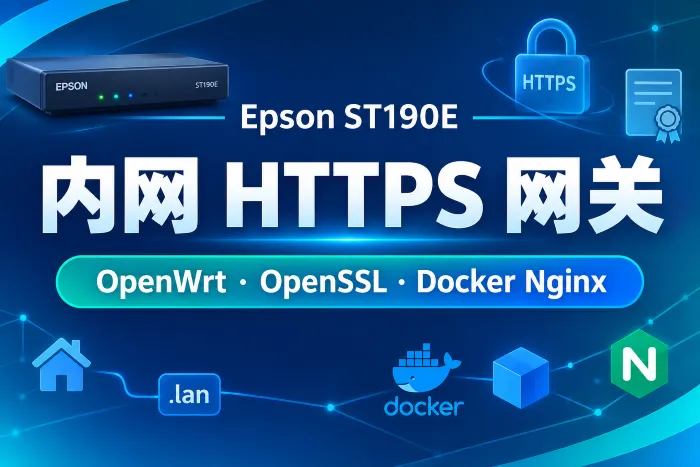
目标 在局域网中使用域名访问内网服务,例如:
1
2
3
4
5
6
7
https://jellyfin.lan https://owu.lan https://qb.lan https://wp.lan https://music.lan https://book.lan https://nav.lan
整体链路:
1
2
3
4
5
6
7
8
9
10
11
12
13
客户端浏览器 | | 查询 nav.lan v OpenWrt / GL.iNet dnsmasq | | 返回 192.168.8.117 v Epson ST190E:443 | | Docker Nginx 终止 HTTPS,并按 Host 分流 v 本机服务端口,例如 Sun Panel:13002
本方案把 Nginx、证书、配置、脚本统一放在:
openssl 程序本身使用系统自带版本,不移动到 /data/app。/data/app/docker/Nginx 只保存证书资产、配置文件和维护脚本。
服务映射
域名
服务
目标端口
jellyfin.lanJellyfin
8096
owu.lanOpen WebUI
8180
qb.lanqBittorrent WebUI
8282
wp.lanOpenList
15244
music.lanNavidrome
16563
book.lanCalibre-Web
8983
nav.lanSun Panel
13002
Nginx 容器访问后端时使用:
1 http://host.docker.internal:<端口>
这样 Nginx 不需要加入每个业务容器的 Docker 网络,只反代到宿主机已经发布出来的端口,影响面更小。
一、OpenWrt 配置 DNS 先让局域网客户端能把这些 .lan 域名解析到 Epson ST190E:
SSH 登录路由器:
用循环批量写入 dnsmasq 记录:
1 2 3 4 5 6 7 8 9 10 11 LAN_GATEWAY_IP='192.168.8.117' DOMAINS='jellyfin.lan owu.lan qb.lan wp.lan music.lan book.lan nav.lan' for domain in $DOMAINS ; do uci -q del_list dhcp.@dnsmasq[0].address="/$domain /$LAN_GATEWAY_IP " uci add_list dhcp.@dnsmasq[0].address="/$domain /$LAN_GATEWAY_IP " done uci commit dhcp dnsmasq --test /etc/init.d/dnsmasq restart
如果路由器里已有同名记录,先查看并删除重复项:
1 uci show dhcp | grep -E 'jellyfin\.lan|owu\.lan|qb\.lan|wp\.lan|music\.lan|book\.lan|nav\.lan'
重复项可以在 OpenWrt 后台删除,也可以根据 uci show 输出的具体配置项删除。处理完成后再执行上面的批量写入命令。
在 Windows 上验证解析:
1
2
ipconfig /flushdns nslookup nav.lan
正确结果应包含:
如果 nslookup 没有返回 192.168.8.117,优先检查路由器后台是否还有重复的静态 DNS 记录,然后重启 dnsmasq 或重启路由器。
二、Epson 前置检查 SSH 登录 Epson:
1 ssh root@192.168.8.117 -p 28162
检查系统、Docker、OpenSSL 和端口:
1
2
3
4
5
6
7
8
hostname hostname -I docker --version docker compose version command -v opensslopenssl version systemctl is-active nginx || true ss -lntup | grep -E ':(80|443)\s' || true
检查后端端口是否能从 Epson 本机访问:
1
2
3
4
5
6
for item in jellyfin:8096 owu:8180 qb:8282 wp:15244 music:16563 book:8983 nav:13002; do name=${item%%:*} port=${item##*:} code=$(curl -k -s -o /dev/null -w '%{http_code}' --max-time 5 "http://127.0.0.1:$port /" 2>/dev/null || printf 'fail' ) printf '%-10s %-6s %s\n' "$name " "$port " "$code " done
常见返回:
1
2
3
4
5
6
7
jellyfin 8096 302 owu 8180 200 qb 8282 200 wp 15244 200 music 16563 302 book 8983 302 nav 13002 200
200 和 302 都说明后端服务是可达的;fail 需要先排查对应服务是否在运行。
三、规划目录 创建统一目录:
1
2
3
BASE=/data/app/docker/Nginx mkdir -p "$BASE " /{backup,certs/lan/{ca,server},conf/{snippets,sites-enabled},html/default,logs,scripts}
最终结构:
1
2
3
4
5
6
7
8
9
10
11
12
13
14
15
16
17
18
19
20
21
22
23
24
25
26
27
28
29
30
31
32
33
34
35
36
37
38
39
40
/data/app/docker/Nginx/ ├── docker-compose.yml ├── README.md ├── backup/ ├── certs/ │ └── lan/ │ ├── ca/ │ │ ├── lan-root-ca.crt │ │ ├── lan-root-ca.key │ │ └── lan-root-ca.srl │ ├── server/ │ │ ├── lan-cert.pem │ │ ├── lan-fullchain.pem │ │ ├── lan-privkey.pem │ │ └── lan.csr │ └── openssl-san.cnf ├── conf/ │ ├── nginx.conf │ ├── snippets/ │ │ ├── lan-health.conf │ │ ├── proxy-common.conf │ │ └── ssl-lan.conf │ └── sites-enabled/ │ ├── 00-default.conf │ ├── jellyfin.lan.conf │ ├── owu.lan.conf │ ├── qb.lan.conf │ ├── wp.lan.conf │ ├── music.lan.conf │ ├── book.lan.conf │ └── nav.lan.conf ├── html/ │ └── default/ ├── logs/ └── scripts/ ├── issue-lan-cert.sh ├── renew-lan-cert.sh ├── nginx-test.sh ├── reload.sh └── status.sh
约定:
conf/nginx.conf 只放主配置。conf/snippets/ 放公共片段。conf/sites-enabled/ 每个域名一个配置文件。certs/lan/ca/lan-root-ca.key 是 CA 私钥,只保存在服务器,不分发给客户端。客户端只导入 certs/lan/ca/lan-root-ca.crt。
四、生成 Nginx 配置 进入目录:
1
2
BASE=/data/app/docker/Nginx cd "$BASE "
写入 docker-compose.yml:
1
2
3
4
5
6
7
8
9
10
11
12
13
14
15
16
17
18
19
cat > docker-compose.yml <<'YAML' services: nginx_lan_gateway: image: nginx:1.27-alpine container_name: nginx_lan_gateway restart: unless-stopped ports: - "80:80" - "443:443" extra_hosts: - "host.docker.internal:host-gateway" volumes: - ./conf/nginx.conf:/etc/nginx/nginx.conf:ro - ./conf/snippets:/etc/nginx/snippets:ro - ./conf/sites-enabled:/etc/nginx/sites-enabled:ro - ./certs:/etc/nginx/certs:ro - ./html:/usr/share/nginx/html:ro - ./logs:/var/log/nginx YAML
写入主配置 conf/nginx.conf:
1
2
3
4
5
6
7
8
9
10
11
12
13
14
15
16
17
18
19
20
21
22
23
24
25
26
27
28
29
30
31
32
33
34
35
36
37
38
39
40
41
42
43
44
45
46
47
48
49
50
51
52
cat > conf/nginx.conf <<'EOF' user nginx; worker_processes auto; pid /var/run/nginx.pid; events { worker_connections 2048; } http { include /etc/nginx/mime.types; default_type application/octet-stream; log_format main '$remote_addr - $remote_user [$time_local] "$request" ' '$status $body_bytes_sent "$http_referer" ' '"$http_user_agent" "$http_x_forwarded_for" ' 'rt=$request_time upstream=$upstream_addr' ; access_log /var/log/nginx/access.log main; error_log /var/log/nginx/error.log warn; sendfile on; tcp_nopush on; tcp_nodelay on; keepalive_timeout 65; types_hash_max_size 4096; server_tokens off; client_max_body_size 0; gzip on; gzip_comp_level 5; gzip_min_length 1024; gzip_vary on; gzip_types text/plain text/css text/xml text/javascript application/json application/javascript application/xml application/xml+rss image/svg+xml; map $http_upgrade $connection_upgrade { default upgrade; '' close; } include /etc/nginx/sites-enabled/*.conf; } EOF
写入通用反代片段:
1
2
3
4
5
6
7
8
9
10
11
12
13
14
15
16
17
18
cat > conf/snippets/proxy-common.conf <<'EOF' proxy_http_version 1.1; proxy_set_header Host $http_host ; proxy_set_header X-Real-IP $remote_addr ; proxy_set_header X-Forwarded-For $proxy_add_x_forwarded_for ; proxy_set_header X-Forwarded-Proto $scheme ; proxy_set_header X-Forwarded-Protocol $scheme ; proxy_set_header X-Forwarded-Host $host ; proxy_set_header X-Forwarded-Port $server_port ; proxy_set_header X-Forwarded-Ssl on; proxy_set_header Upgrade $http_upgrade ; proxy_set_header Connection $connection_upgrade ; proxy_redirect off; proxy_read_timeout 3600s; proxy_send_timeout 3600s; proxy_buffering off; proxy_request_buffering off; EOF
这个片段统一处理真实客户端 IP、反代协议、WebSocket、SSE、长连接和大文件上传。Jellyfin、Open WebUI、Navidrome 这类服务不需要在每个站点里重复写一遍。
写入 TLS 片段:
1
2
3
4
5
6
7
8
9
cat > conf/snippets/ssl-lan.conf <<'EOF' ssl_certificate /etc/nginx/certs/lan/server/lan-fullchain.pem; ssl_certificate_key /etc/nginx/certs/lan/server/lan-privkey.pem; ssl_session_cache shared:SSL:10m; ssl_session_timeout 1d; ssl_session_tickets off; ssl_protocols TLSv1.2 TLSv1.3; ssl_prefer_server_ciphers off; EOF
写入健康检查片段:
1
2
3
4
5
6
7
cat > conf/snippets/lan-health.conf <<'EOF' location = /__nginx_health { access_log off; default_type text/plain; return 200 "ok\n" ; } EOF
写入默认站点。未知 Host 和裸 IP 访问统一返回 404:
1
2
3
4
5
6
7
8
9
10
11
12
13
14
15
16
17
18
19
20
cat > conf/sites-enabled/00-default.conf <<'EOF' server { listen 80 default_server; server_name _; access_log off; return 404; } server { listen 443 ssl default_server; http2 on; server_name _; include /etc/nginx/snippets/ssl-lan.conf; access_log off; error_log /var/log/nginx/default.error.log warn; return 404; } EOF
用函数生成站点配置:
1
2
3
4
5
6
7
8
9
10
11
12
13
14
15
16
17
18
19
20
21
22
23
24
25
26
27
28
29
30
31
32
33
34
35
36
37
38
write_site domain="$1 " upstream="$2 " cat > "conf/sites-enabled/${domain} .conf" <<EOF server { listen 80; server_name ${domain}; return 308 https://\\$host\\$request_uri; } server { listen 443 ssl; http2 on; server_name ${domain}; include /etc/nginx/snippets/ssl-lan.conf; access_log /var/log/nginx/${domain}.access.log main; error_log /var/log/nginx/${domain}.error.log warn; include /etc/nginx/snippets/lan-health.conf; location / { include /etc/nginx/snippets/proxy-common.conf; proxy_pass ${upstream}; } } EOF } write_site jellyfin.lan http://host.docker.internal:8096 write_site owu.lan http://host.docker.internal:8180 write_site qb.lan http://host.docker.internal:8282 write_site wp.lan http://host.docker.internal:15244 write_site music.lan http://host.docker.internal:16563 write_site book.lan http://host.docker.internal:8983 write_site nav.lan http://host.docker.internal:13002
写一个简单的默认页面:
1
2
3
4
5
6
7
8
9
10
11
12
13
cat > html/default/404.html <<'EOF' <!doctype html> <html lang="en" > <head > <meta charset="utf-8" > <meta name="viewport" content="width=device-width, initial-scale=1" > <title>Not Found</title> </head> <body> <h1>404</h1> </body> </html> EOF
五、用 OpenSSL 生成内网证书 OpenSSL 不会自己自动续期,它只是证书生成工具。这里用脚本把“签发”和“重签”标准化:
首次运行会生成根 CA。
每次运行都会重签 *.lan 站点证书。
只要根 CA 不变,客户端不需要重新导入根证书。
要自动续期,可以配合 cron 或 systemd timer 定时执行脚本。
生成脚本:
1
2
3
4
5
6
7
8
9
10
11
12
13
14
15
16
17
18
19
20
21
22
23
24
25
26
27
28
29
30
31
32
33
34
35
36
37
38
39
40
41
42
43
44
45
46
47
48
49
50
51
52
53
54
55
56
57
58
59
60
61
62
63
64
65
66
67
68
69
70
71
72
73
74
75
76
77
78
79
80
81
82
83
84
85
86
87
88
89
90
91
92
93
94
95
96
97
98
99
100
101
cat > scripts/issue-lan-cert.sh <<'EOF' set -euo pipefailBASE="$(cd "$(dirname "${BASH_SOURCE[0]} " ) /.." && pwd) " CERT_BASE="$BASE /certs/lan" CA_DIR="$CERT_BASE /ca" SERVER_DIR="$CERT_BASE /server" SAN_CONF="$CERT_BASE /openssl-san.cnf" DOMAINS=( "*.lan" "jellyfin.lan" "owu.lan" "qb.lan" "wp.lan" "music.lan" "book.lan" "nav.lan" ) IPS=( "192.168.8.117" ) mkdir -p "$CA_DIR " "$SERVER_DIR " chmod 700 "$CA_DIR " "$SERVER_DIR " if [ ! -f "$CA_DIR /lan-root-ca.key" ]; then openssl genrsa -out "$CA_DIR /lan-root-ca.key" 4096 chmod 600 "$CA_DIR /lan-root-ca.key" openssl req -x509 -new -nodes \ -key "$CA_DIR /lan-root-ca.key" \ -sha256 \ -days 3650 \ -out "$CA_DIR /lan-root-ca.crt" \ -subj "/CN=Yilan LAN Root CA/O=Yilan Home Lab" fi { cat <<'CONF' [ req ] default_bits = 2048 prompt = no default_md = sha256 distinguished_name = dn req_extensions = v3_req [ dn ] CN = *.lan O = Yilan Home Lab [ v3_req ] basicConstraints = CA:FALSE keyUsage = critical, digitalSignature, keyEncipherment extendedKeyUsage = serverAuth subjectAltName = @alt_names [ alt_names ] CONF i=1 for domain in "${DOMAINS[@]} " ; do printf 'DNS.%d = %s\n' "$i " "$domain " i=$((i + 1 )) done i=1 for ip in "${IPS[@]} " ; do printf 'IP.%d = %s\n' "$i " "$ip " i=$((i + 1 )) done } > "$SAN_CONF " openssl genrsa -out "$SERVER_DIR /lan-privkey.pem" 2048 chmod 600 "$SERVER_DIR /lan-privkey.pem" openssl req -new \ -key "$SERVER_DIR /lan-privkey.pem" \ -out "$SERVER_DIR /lan.csr" \ -config "$SAN_CONF " openssl x509 -req \ -in "$SERVER_DIR /lan.csr" \ -CA "$CA_DIR /lan-root-ca.crt" \ -CAkey "$CA_DIR /lan-root-ca.key" \ -CAcreateserial \ -out "$SERVER_DIR /lan-cert.pem" \ -days 825 \ -sha256 \ -extfile "$SAN_CONF " \ -extensions v3_req cat "$SERVER_DIR /lan-cert.pem" "$CA_DIR /lan-root-ca.crt" > "$SERVER_DIR /lan-fullchain.pem" chmod 644 "$CA_DIR /lan-root-ca.crt" "$SERVER_DIR /lan-cert.pem" "$SERVER_DIR /lan-fullchain.pem" openssl x509 -in "$SERVER_DIR /lan-cert.pem" -noout -subject -issuer -dates -ext subjectAltName EOF chmod +x scripts/issue-lan-cert.shbash scripts/issue-lan-cert.sh
输出中应看到 Subject Alternative Name 包含:
1
2
3
4
5
6
7
8
9
DNS:*.lan DNS:jellyfin.lan DNS:owu.lan DNS:qb.lan DNS:wp.lan DNS:music.lan DNS:book.lan DNS:nav.lan IP Address:192.168.8.117
根证书位置:
1 /data/app/docker/Nginx/certs/lan/ca/lan-root-ca.crt
CA 私钥位置:
1 /data/app/docker/Nginx/certs/lan/ca/lan-root-ca.key
只分发 lan-root-ca.crt,不要分发 lan-root-ca.key。
六、维护脚本 写入证书续期包装脚本。这个脚本会先备份当前站点证书,再重签证书,最后测试并热重载 Nginx:
1
2
3
4
5
6
7
8
9
10
11
12
13
14
15
16
17
18
19
20
21
22
23
24
25
26
27
cat > scripts/renew-lan-cert.sh <<'EOF' set -euo pipefailBASE="$(cd "$(dirname "${BASH_SOURCE[0]} " ) /.." && pwd) " CERT_DIR="$BASE /certs/lan/server" BACKUP_DIR="$BASE /backup/certs/$(date +%Y%m%d-%H%M%S) " mkdir -p "$BACKUP_DIR " for file in lan-cert.pem lan-fullchain.pem lan-privkey.pem lan.csr; do if [ -f "$CERT_DIR /$file " ]; then cp -a "$CERT_DIR /$file " "$BACKUP_DIR /$file " fi done bash "$BASE /scripts/issue-lan-cert.sh" if docker ps --format '{{.Names}}' | grep -Fxq nginx_lan_gateway; then docker exec nginx_lan_gateway nginx -t docker exec nginx_lan_gateway nginx -s reload else echo "nginx_lan_gateway is not running; certificate was renewed but nginx was not reloaded." fi openssl x509 -in "$CERT_DIR /lan-cert.pem" -noout -subject -issuer -dates -ext subjectAltName EOF
写入 Nginx 测试脚本:
1
2
3
4
5
6
cat > scripts/nginx-test.sh <<'EOF' set -euo pipefaildocker exec nginx_lan_gateway nginx -t EOF
写入重载脚本:
1
2
3
4
5
6
7
cat > scripts/reload.sh <<'EOF' set -euo pipefaildocker exec nginx_lan_gateway nginx -t docker exec nginx_lan_gateway nginx -s reload EOF
写入状态脚本:
1
2
3
4
5
6
7
8
9
10
11
12
13
14
15
16
17
18
cat > scripts/status.sh <<'EOF' set -euo pipefailcd "$(dirname "${BASH_SOURCE[0]} " ) /.." docker compose ps printf '\nListening ports:\n' ss -lntup | grep -E ':(80|443)\s' || true printf '\nConfigured sites:\n' find conf/sites-enabled -maxdepth 1 -type f -name '*.conf' -printf '%f\n' | sort printf '\nCertificate:\n' openssl x509 -in certs/lan/server/lan-cert.pem -noout -subject -issuer -dates -ext subjectAltName EOF chmod +x scripts/*.sh
七、处理宿主机 Nginx 如果宿主机已经安装并启用了 Nginx,它会占用 80 或 443。容器要绑定这两个端口,必须先释放端口。
先备份宿主机 Nginx:
1
2
3
4
5
6
7
BASE=/data/app/docker/Nginx TS=$(date +%Y%m%d-%H%M%S) mkdir -p "$BASE /backup/host-nginx/$TS " cp -a /etc/nginx "$BASE /backup/host-nginx/$TS /etc-nginx" systemctl status nginx --no-pager > "$BASE /backup/host-nginx/$TS /systemctl-status.txt" 2>&1 || true nginx -T > "$BASE /backup/host-nginx/$TS /nginx-T.txt" 2>&1 || true
确认 Docker 配置无误并预拉镜像:
1
2
3
cd /data/app/docker/Nginxdocker compose config docker compose pull
停止并禁用宿主机 Nginx:
1
2
3
systemctl stop nginx systemctl disable nginx ss -lntup | grep -E ':(80|443)\s' || true
这里只处理入口 Nginx,不停止任何后端业务容器。
八、启动 Nginx 容器 启动:
1
2
cd /data/app/docker/Nginxdocker compose up -d
检查:
1
2
3
docker compose ps docker exec nginx_lan_gateway nginx -t ss -lntup | grep -E ':(80|443)\s' || true
预期端口:
1
2
0.0.0.0:80->80/tcp 0.0.0.0:443->443/tcp
九、验证访问 在 Epson 上验证健康端点:
1
2
3
4
5
6
7
8
9
cd /data/app/docker/Nginxfor d in jellyfin.lan owu.lan qb.lan wp.lan music.lan book.lan nav.lan; do curl --cacert certs/lan/ca/lan-root-ca.crt \ -s -o /dev/null -w "$d %{http_code}\n" \ --max-time 8 \ --resolve "$d :443:192.168.8.117" \ "https://$d /__nginx_health" done
预期:
1
2
3
4
5
6
7
jellyfin.lan 200 owu.lan 200 qb.lan 200 wp.lan 200 music.lan 200 book.lan 200 nav.lan 200
验证真实首页:
1
2
3
4
5
6
7
for d in jellyfin.lan owu.lan qb.lan wp.lan music.lan book.lan nav.lan; do curl --cacert certs/lan/ca/lan-root-ca.crt \ -s -o /dev/null -w "$d %{http_code}\n" \ --max-time 8 \ --resolve "$d :443:192.168.8.117" \ "https://$d /" done
200 表示直接成功,302 通常是应用自身跳转登录页或补路径,也属于正常。
验证 HTTP 会跳转 HTTPS:
1
2
3
4
5
6
for d in jellyfin.lan owu.lan qb.lan wp.lan music.lan book.lan nav.lan; do curl -s -o /dev/null -w "$d %{http_code}\n" \ --max-time 8 \ --resolve "$d :80:192.168.8.117" \ "http://$d /" done
预期:
验证裸 IP 不暴露默认站:
1
2
curl -s -o /dev/null -w 'http-ip %{http_code}\n' http://127.0.0.1/ curl -k -s -o /dev/null -w 'https-ip %{http_code}\n' https://127.0.0.1/
预期:
1
2
http-ip 404 https-ip 404
十、客户端导入根证书 把根证书复制到本地:
1 scp -P 28162 root@192.168 .8.117 :/data /app/docker/Nginx/certs/lan/ca/lan-root-ca .crt .
Windows 导入:
双击 lan-root-ca.crt。
选择“安装证书”。
选择“本地计算机”或“当前用户”。
证书存储选择“受信任的根证书颁发机构”。
重新打开浏览器。
导入后访问:
如果没有导入根证书,浏览器会提示证书不受信任;这不代表 Nginx 配置错误。
十一、证书续期 OpenSSL 本身不提供后台自动续期。自动续期需要系统定时任务调用脚本。
手动重签:
1
2
3
cd /data/app/docker/Nginxbash scripts/issue-lan-cert.sh bash scripts/reload.sh
查看证书有效期:
1 openssl x509 -in /data/app/docker/Nginx/certs/lan/server/lan-cert.pem -noout -dates
如果需要自动重签,可以创建 systemd service:
1
2
3
4
5
6
7
8
9
10
11
cat > /etc/systemd/system/nginx-lan-cert-renew.service <<'EOF' [Unit] Description=Renew LAN Nginx certificate Wants=docker.service After=docker.service [Service] Type=oneshot WorkingDirectory=/data/app/docker/Nginx ExecStart=/usr/bin/bash /data/app/docker/Nginx/scripts/renew-lan-cert.sh EOF
创建 systemd timer,每月 1 日凌晨 4 点执行:
1
2
3
4
5
6
7
8
9
10
11
12
13
14
15
16
17
cat > /etc/systemd/system/nginx-lan-cert-renew.timer <<'EOF' [Unit] Description=Monthly LAN Nginx certificate renewal [Timer] OnCalendar=*-*-01 04:00:00 Persistent=true RandomizedDelaySec=15m Unit=nginx-lan-cert-renew.service [Install] WantedBy=timers.target EOF systemctl daemon-reload systemctl enable --now nginx-lan-cert-renew.timer systemctl list-timers | grep nginx-lan-cert-renew || true
只要 lan-root-ca.key 没有重新生成,客户端仍然信任重签后的站点证书。
十二、新增一个域名 以 novel.lan 反代到 127.0.0.1:8088 为例:
1
2
3
4
5
6
7
8
9
10
11
12
13
14
15
16
17
18
19
20
21
22
23
24
25
26
27
28
29
30
cd /data/app/docker/Nginxcat > conf/sites-enabled/novel.lan.conf <<'EOF' server { listen 80; server_name novel.lan; return 308 https://$host$request_uri ; } server { listen 443 ssl; http2 on; server_name novel.lan; include /etc/nginx/snippets/ssl-lan.conf; access_log /var/log/nginx/novel.lan.access.log main; error_log /var/log/nginx/novel.lan.error.log warn; include /etc/nginx/snippets/lan-health.conf; location / { include /etc/nginx/snippets/proxy-common.conf; proxy_pass http://host.docker.internal:8088; } } EOF docker exec nginx_lan_gateway nginx -t docker exec nginx_lan_gateway nginx -s reload
因为证书包含 *.lan,新增一级 .lan 域名通常不需要重签证书。
然后在 OpenWrt 添加 DNS:
1
2
3
4
uci -q del_list dhcp.@dnsmasq[0].address='/novel.lan/192.168.8.117' uci add_list dhcp.@dnsmasq[0].address='/novel.lan/192.168.8.117' uci commit dhcp /etc/init.d/dnsmasq restart
十三、常用运维命令 查看状态:
1
2
cd /data/app/docker/Nginxbash scripts/status.sh
测试配置:
1
2
cd /data/app/docker/Nginxbash scripts/nginx-test.sh
重载配置:
1
2
cd /data/app/docker/Nginxbash scripts/reload.sh
查看日志:
1
2
3
cd /data/app/docker/Nginxtail -f logs/nav.lan.access.logtail -f logs/nav.lan.error.log
查看容器日志:
1 docker logs -f nginx_lan_gateway
十四、回滚 如果容器网关异常,先停掉容器:
1
2
cd /data/app/docker/Nginxdocker compose down
如果需要临时恢复宿主机 Nginx:
1
2
3
systemctl enable nginx systemctl start nginx systemctl status nginx --no-pager
如果需要恢复宿主机 Nginx 配置:
1
2
3
cp -a /data/app/docker/Nginx/backup/host-nginx/<timestamp>/etc-nginx /etc/nginxnginx -t systemctl restart nginx
回滚只影响入口网关,不需要停止后端业务容器。
十五、完整检查清单
[ ] OpenWrt 中 .lan 域名解析到 192.168.8.117
[ ] /data/app/docker/Nginx 目录存在
[ ] certs/lan/ca/lan-root-ca.crt 已生成
[ ] certs/lan/server/lan-fullchain.pem 已生成
[ ] 宿主机 Nginx 已备份
[ ] 宿主机 Nginx 已停止并禁用
[ ] nginx_lan_gateway 已启动
[ ] 80/443 由 Docker Nginx 容器监听
[ ] docker exec nginx_lan_gateway nginx -t 通过
[ ] https://nav.lan/__nginx_health 返回 ok
[ ] 客户端已导入 lan-root-ca.crt
[ ] 浏览器可直接访问 https://nav.lan